In This Article
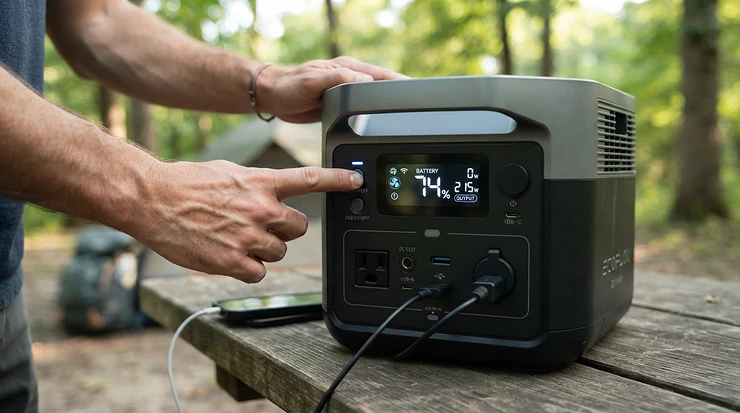
A portable power station for power cuts is the grown-up version of the torch in the kitchen drawer. It’s a big rechargeable battery with proper mains sockets, ready to keep the router blinking, the fridge humming and the phones alive when the grid taps out. After Spain and Portugal’s blackouts in April 2025, and a smaller outage in Dublin the very next day, UK news sites suddenly discovered “emergency kit” as a topic. A dark house does focus the mind.
Here’s the catch. The market is a thicket of numbers: watt-hours, watts, surge ratings, switchover times, cycle counts. Pick wrong and you either buy a gadget that dies after two hours or a 50kg monster you’ll never carry upstairs. Pick right and a small unit quietly guards your broadband for a day, while a bigger one carries a household through a storm. The best portable power station for power cuts is rarely the biggest. It’s the one sized to what you actually need to keep running.
This guide cuts through the noise. You’ll find seven real models from budget to premium and runtime maths you can do on the back of an envelope. There’s a section on watt-hours (Wh) capacity, a plain-English look at the power station with UPS function question, and practical guides for keeping a router alive, building an emergency kit and using the UK power cut helpline 105.
One honest note before we start. Everything here is built from published specifications, independent reviews and aggregated owner feedback. I haven’t tested these units myself, and where the evidence is thin, I’ll say so. Prices are ranges only, so check current pricing before you buy.
Quick Comparison: 7 Portable Power Stations for Power Cuts at a Glance
Short on time? Start here. The table lines up all seven units on the specs that matter most when the lights go out. Think of capacity as the fuel tank and output as the width of the pipe. A big tank with a narrow pipe won’t start a power-hungry appliance, and a wide pipe with a small tank will drain in minutes.
| Product | Capacity | Continuous output | UPS switchover | Weight | Best For |
|---|---|---|---|---|---|
| EcoFlow River 3 | 245Wh | 300W | <10–20ms (variant-dependent) | ~3.5kg | Router, phones, laptop |
| Anker SOLIX C800 Plus | 768Wh | 1,200W | 20ms | 10.9kg | Lights, router and TV for an evening |
| Jackery Explorer 1000 v2 | 1,070Wh | 1,500W | ≤20ms | 10.8kg | Light, balanced 1kWh backup |
| EcoFlow Delta 2 | 1,024Wh | 1,800W | EPS auto-switch | 12kg | Households that may expand later |
| Anker SOLIX C1000 Gen 2 | 1,024Wh | 2,000W | <10ms | 11.3kg | Fast switchover and fast recharge |
| Bluetti AC180 | 1,152Wh | 1,800W | 20ms | 16kg | Maximum capacity in the 1kWh class |
| EcoFlow Delta Pro 3 | 4,096Wh | 4,000W | <10ms | 51.5kg | Multi-day outages, rural homes |
Read across and a pattern emerges. The EcoFlow River 3 is the only unit you can carry one-handed, but its 245Wh runs dry quickly. The Jackery Explorer 1000 v2, EcoFlow Delta 2, Anker SOLIX C1000 Gen 2 and Bluetti AC180 are the 1kWh-class middle ground where most households will land. Switchover speed is the quiet differentiator, with the Anker SOLIX C1000 Gen 2 listing under 10ms, while the EcoFlow Delta Pro 3 trades portability for multi-day endurance.
💬 Just one click — help others make better buying decisions too!😊
What Is a Portable Power Station for Power Cuts?
A portable power station for power cuts is a rechargeable lithium battery pack with a built-in inverter that converts stored energy into 230V mains-style power. You charge it from a wall socket. When the grid fails, it keeps lamps, routers, laptops and fridges running through its own sockets, silently, with no fuel and no exhaust fumes.
Two numbers define it. Output, measured in watts (W), is how much it can supply at once. Capacity, measured in watt-hours (Wh), is how much energy it stores. The watt-hour is simply one watt sustained for one hour, so a 1,000Wh unit can in theory supply 100W for ten hours or 500W for two. Real-world figures come in lower because inverters shed some energy as heat. Assuming roughly 85% usable capacity is a sensible planning rule, and it’s what I use in the runtime maths later.
Most current units use lithium iron phosphate (LiFePO4, or LFP) cells, which tolerate far more charge cycles than older lithium-ion packs. Where figures are published, the models here quote 3,000 to 4,000 cycles to 80% capacity. That’s why watt-hours (Wh) capacity should be read alongside chemistry and warranty rather than on its own.
Finally, a word on the “power cuts” part. The best units add UPS-style switchover, so a router or PC barely notices the mains vanishing. We’ll unpack that properly in a later section.
Top 7 Portable Power Stations for Power Cuts: Expert Analysis
Each entry below combines manufacturer specifications with the themes that recur in independent reviews. Prices are ranges at the time of research. Listings change daily, so check current price before you commit.
1. EcoFlow River 3 — pocket-sized UPS for routers and laptops
The headline here is size. At roughly 3.5kg, this is the unit you can park beside the router and forget about.
The EcoFlow River 3 packs a 245Wh LiFePO4 battery and a 300W inverter with a 600W X-Boost mode for some heavier devices. Listings quote a UPS switchover of under 20ms, or 10ms on the dedicated UPS variant, so check which version you’re buying. Divide 245Wh (about 208Wh usable) by a broadband setup drawing roughly 20W and you get around ten hours of connectivity. That’s a full working day’s worth of video calls or an overnight cut.
Based on the spec comparison, this is for flat-dwellers, remote workers and anyone whose main fear is losing broadband. It is not for fridge-freezers or kettles, because the 300W ceiling and small tank rule them out. Independent reviewers describe it as well built and genuinely portable, with a roughly one-hour wall recharge, and the recurring limitation is simply capacity.
Pros:
- ✅ Light enough to carry one-handed
- ✅ Full wall recharge in about an hour
- ✅ UPS-style switchover suits routers and PCs
Cons:
- ❌ 245Wh drains quickly under fridge-sized loads
- ❌ 300W ceiling rules out kettles and heaters
Price range: around £150–£250. It’s excellent value as a broadband-and-phones lifeline and poor value if you expect it to run a freezer.

2. Anker SOLIX C800 Plus — mid-size backup with built-in camping lights
Anker tucks two detachable camping lights into the top compartment, a small touch that turns out to be handy when the bulbs go with the grid.
The Anker SOLIX C800 Plus offers 768Wh of LFP capacity and 1,200W rated output, rising to 1,600W with its SurgePad feature. Anker lists a 20ms UPS switchover, a 10.9kg weight and a roughly 58-minute recharge with UltraFast mode switched on in the app. In practice, 768Wh gives around five hours of a 120W “essentials bundle” (router, lights, laptop, a slice of fridge), or more than a day of broadband alone.
My read is that it suits couples, flats and small terraces that want one unit for both storm cuts and camping. The 1,200W output also gives headroom for a fridge compressor’s start-up kick. Real review evidence is thin. I couldn’t verify a deep pool of independent testing for this exact model, so the spec sheet carries most of the weight here, though its sibling, the Anker SOLIX C1000 Gen 2, features in several best-of roundups.
Pros:
- ✅ Built-in lights help in dark rooms
- ✅ 1,200W output covers most small appliances
- ✅ Roughly one-hour recharge via app mode
Cons:
- ❌ 768Wh limits fridge runtime to under a day
- ❌ 20ms switchover is slower than the C1000’s
Price range: around £350–£500. It’s solid mid-tier value if you’ll use the lights, but compare it with 1kWh-class rivals before buying.
3. Jackery Explorer 1000 v2 — lightest 1kWh-class option
Jackery squeezes 1,070Wh into a 10.8kg body with a fold-down handle, which makes it the lightest of the 1kWh units in this roundup.
The Jackery Explorer 1000 v2 delivers 1,500W rated output (3,000W surge) from an LFP battery, with a listed UPS switchover of 20ms or less and an app-activated emergency charge mode that refills it in under an hour. Here’s what the spec sheet won’t shout about: most UK kettles draw somewhere around 2–3kW, so a 1,500W ceiling means no kettle. Lamps, router, TV, laptops and a fridge are fine.
TechRadar’s review found it ran three computers and charged cameras, drones and lighting through a working day without trouble, and called the price excellent for the capacity. The 1,500W cap is the recurring drawback. One practical catch: Jackery says its extended warranty applies only to purchases from official or authorised channels, so check the seller on the listing.
Pros:
- ✅ Lightest 1kWh-class unit in this lineup
- ✅ UPS rated at 20ms or under
- ✅ App-based emergency charge in under an hour
Cons:
- ❌ 1,500W ceiling is lowest among the 1kWh units
- ❌ Full 3+2-year warranty needs an authorised seller
Price range: around £400–£550. It’s strong value for anyone who’ll actually carry it about.
4. EcoFlow Delta 2 — expandable favourite with UK sockets
Start with 1kWh, then add a second battery after the first autumn storm. That growth path is the EcoFlow Delta 2‘s calling card.
It offers 1,024Wh of LiFePO4 capacity, 1,800W output (2,700W surge), four UK-style sockets, 3,000+ cycles to 80% and a 12kg weight. Add the extra battery and you reach 2,048Wh, or 3,040Wh with the Delta Max battery. EcoFlow describes an EPS function that auto-switches to battery power, but I couldn’t confirm a headline millisecond figure on UK listings, and one UK comparison lists 30ms. That’s fine for routers and battery-backed laptops, though a quicker unit is safer if you’re protecting a desktop PC or NAS.
Outdoor Life’s tester ranked it best overall in their lineup. Reviewers also note the AC and car ports sit on the back, which is unusual, and fan noise rises under heavy loads (one retailer lists up to 60dB at one metre).
Pros:
- ✅ Add-on battery doubles capacity to 2,048Wh
- ✅ 3,000+ cycle LFP chemistry, five-year warranty
- ✅ 1,800W handles most small appliances
Cons:
- ❌ Switchover possibly slower than 10ms rivals
- ❌ Back-mounted ports are awkward to reach
Price range: £400–£650. Value is strongest if you’ll genuinely use the expansion option.
5. Anker SOLIX C1000 Gen 2 — fastest switchover, fastest recharge
If the router and the NAS must not blink, switchover speed counts, and the Anker SOLIX C1000 Gen 2 lists the quickest in this group at under 10ms.
Specs: 1,024Wh LFP, 2,000W output (3,000W surge), 11.3kg and a five-year warranty. Anker quotes a full recharge in about 49 minutes once UltraFast mode is enabled in the app, plus a 10-year lifespan claim and 4,000 cycles to 80% on a major UK retailer’s listing. That fast recharge matters during repeated storm cuts, because you can refill between outages rather than waiting half a day.
The caveat is that Anker’s own FAQ says this generation isn’t expandable. OutdoorGearLab names the C1000 line its best for most people while flagging some faults, and Outdoor Life praised the Gen 2’s performance in a large-draw dehumidifier test.
Pros:
- ✅ Under 10ms UPS suits PCs and routers
- ✅ 2,000W output with 3,000W surge
- ✅ Roughly 49-minute recharge via the app
Cons:
- ❌ Not expandable beyond 1,024Wh
- ❌ Fastest charging needs the app to unlock
Price range: around £400–£600. It’s a strong all-rounder if 1kWh will cover you.
6. Bluetti AC180 — most capacity in the 1kWh class
The Bluetti AC180 offers 1,152Wh, about 12% more than its 1,024Wh rivals, plus an expansion route.
Bluetti lists 1,800W output, a 20ms UPS switchover, 3,500+ cycles and a 16kg weight. It supports 1,440W charging (45 minutes to 80%) and a silent-charging mode claimed at around 45dB. The optional B80 expansion battery adds 806Wh. StorageReview confirms the 20ms figure but recommends a purpose-built UPS for sensitive IT equipment, which is sensible advice for any unit at this switchover speed.
At 16kg it’s the heaviest 1kWh-class unit here, so think hallway cupboard rather than rucksack. Reviewers were broadly impressed by the capability, though one noted the plastics feel slightly cheap and the weight is noticeable.
Pros:
- ✅ 1,152Wh plus optional B80 expansion
- ✅ 3,500+ cycle LiFePO4 rating
- ✅ Quiet-charging mode, roughly 45dB claimed
Cons:
- ❌ 16kg is the heaviest 1kWh-class unit here
- ❌ 20ms switchover; dedicated UPS advised for IT
Price range: £450–£650. Value is good if you prize capacity and plan to keep it in one place. Check the warranty terms on the specific listing.
7. EcoFlow Delta Pro 3 — whole-room muscle for multi-day outages
This is a different animal: 4,096Wh, 4,000W, wheels and 51.5kg.
The EcoFlow Delta Pro 3 offers 6,000W with X-Boost, a UPS switchover of under 10ms, 4,000 cycles to 80%, a quoted 30dB under 2kW and an IP65-rated battery pack. It expands to 12kWh with two extra batteries. At 4kW it can handle kettle-class loads that smaller units can’t. By my arithmetic, 4,096Wh gives roughly 29 hours of a 120W essentials bundle, or several days of careful, fridge-and-router-only living. One practical note: a standard UK 13A socket tops out around 3kW, so headline charge speeds need specific inputs.
OutdoorGearLab named the Delta Pro 3 best for home backup. The recurring caveats are size, weight and price. Rural households with frequent long cuts, or anyone running powered equipment, benefit most.
Pros:
- ✅ 4kW output handles kettle-class loads
- ✅ 4,096Wh, expandable to 12kWh
- ✅ Wheels and handle help with 51.5kg
Cons:
- ❌ 51.5kg is a two-person job on stairs
- ❌ Premium pricing is overkill for short cuts
Price range: £2,000–£2,800. It’s worth it only if you genuinely face long outages.
Top 7 Compared: Price, Warranty and Reviewer Verdicts
| Product | Price range | Warranty (as listed) | Reviewer verdict | Best For |
|---|---|---|---|---|
| EcoFlow River 3 | around £150–£250 | 5 years | Compact, well built | Broadband and phones |
| Anker SOLIX C800 Plus | around £350–£500 | 5 years | Few independent reviews found | Lights, router, TV |
| Jackery Explorer 1000 v2 | around £400–£550 | 3 + 2 years (authorised sellers) | Well priced, 1,500W cap | Light 1kWh backup |
| EcoFlow Delta 2 | £400–£650 range | 5 years | Top pick in one US test | Growing households |
| Anker SOLIX C1000 Gen 2 | around £400–£600 | 5 years | Strong all-rounder | Fast switchover |
| Bluetti AC180 | £450–£650 range | Check listing | Capable but heavy | Maximum 1kWh-class capacity |
| EcoFlow Delta Pro 3 | £2,000–£2,800 range | 5 years | Best for home backup | Multi-day outages |
The sweet spot for most households sits between roughly £400 and £600, where the Anker SOLIX C1000 Gen 2, Jackery Explorer 1000 v2 and EcoFlow Delta 2 compete closely. Budget buyers who only need broadband should consider the EcoFlow River 3, while the EcoFlow Delta Pro 3 only makes sense once outages routinely exceed a day.
How to Choose a Portable Power Station for Power Cuts
Here’s the sequence I’d follow, with the reasoning for each step.
- Decide what must stay on. Router and ONT first, then fridge-freezer, lights, a laptop, and any medical equipment. Anything beyond that is a bonus that shortens runtime.
- Add up running watts. Check the rating labels on each device, and note that motors such as fridge compressors briefly draw several times their running watts at start-up.
- Convert to watt-hours (Wh) capacity. Multiply total watts by the hours you need, then divide by about 0.85 to allow for inverter losses.
- Check UPS switchover. Under 10ms is safest for desktops and NAS drives, while around 20ms suits most routers and laptops.
- Match output to UK appliances. A standard kettle draws around 2–3kW, so only the larger units can run one.
- Weigh the weight. A 51.5kg unit is wonderful until the cut hits and it’s in the loft.
- Check the seller and warranty. Several brands tie extended warranties to authorised channels.
A quick decision framework: If you only need broadband and phones, choose the EcoFlow River 3. If you want a few evening hours of lights, router and TV, the Anker SOLIX C800 Plus fits. If you want a balanced 1kWh unit, the Jackery Explorer 1000 v2, EcoFlow Delta 2 or Anker SOLIX C1000 Gen 2 are the contenders, and the Bluetti AC180 if you want the most capacity. For multi-day cuts, step up to the EcoFlow Delta Pro 3.
Watt-Hours (Wh) Capacity: How Much Do You Really Need?
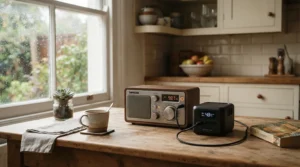
Watt-hours (Wh) capacity is the single most misunderstood number on the box. Here’s the maths without the headache. Runtime in hours equals usable watt-hours divided by load in watts. For planning, assume about 85% of the rated capacity is usable.
The table below uses two illustrative loads. The first is a “broadband setup” of roughly 20W, covering a router plus ONT. UK-supplied hubs typically draw about 7 to 16W, and the ONT adds a little more. The second is an “essentials bundle” of roughly 120W: broadband (20W), LED lighting (20W), a fridge-freezer’s average draw (about 30W) and a laptop (about 50W). Fridge-freezer averages vary widely, from the mid-teens to around 40W depending on size, age and door-opening habits. These are my estimates, so treat them as ballpark figures.
| Capacity (usable ≈85%) | Example units | Broadband (~20W) | Essentials (~120W) | Best For |
|---|---|---|---|---|
| 245Wh (~208Wh) | EcoFlow River 3 | ~10 hours | ~1.7 hours | Connectivity only |
| 768Wh (~653Wh) | Anker SOLIX C800 Plus | ~33 hours | ~5.4 hours | Evening cuts |
| 1,024–1,152Wh (~870–980Wh) | Jackery Explorer 1000 v2, EcoFlow Delta 2, Anker SOLIX C1000 Gen 2, Bluetti AC180 | ~43–49 hours | ~7–8 hours | Typical household cuts |
| 4,096Wh (~3,480Wh) | EcoFlow Delta Pro 3 | ~174 hours | ~29 hours | Multi-day outages |
Notice how the jump from 245Wh to 1kWh transforms the essentials runtime from under two hours to nearly a working day. If your cuts are usually short, the 1kWh class is the sweet spot, and anything bigger mainly buys insurance against rare long events. If you’re unsure, remember that expandable units like the EcoFlow Delta 2 and Bluetti AC180 let you grow later rather than overbuying now.
Power Station With UPS Function: What 10ms vs 20ms Really Means
A power station with UPS function acts like a standalone uninterruptible power supply. Mains power passes through to your devices, and the instant it fails, the battery takes over. The switchover time is how long that handover takes, typically between 10 and 30 milliseconds.
For most gear it doesn’t matter. Laptops, phones and tablets have their own batteries, and routers usually ride through a 20ms gap. It matters for desktop PCs, NAS drives and anything that reboots at the slightest flicker. That’s why StorageReview’s cautious advice on the Bluetti AC180, to use a purpose-built UPS for sensitive IT, is worth heeding. The Anker SOLIX C1000 Gen 2 and EcoFlow Delta Pro 3 list under 10ms, the Anker SOLIX C800 Plus, Bluetti AC180 and Jackery Explorer 1000 v2 list around 20ms, and the EcoFlow River 3 lists under 20ms (10ms on its dedicated UPS variant).
Two practical points before you rely on it. First, UPS mode means the unit sits plugged in continuously, and fire services generally advise against leaving lithium batteries charging unattended or while you sleep. Check each manual for guidance on continuous mains connection and standby modes, and place the unit on a hard, ventilated surface. Second, pass-through itself uses a little power, so a unit left in UPS mode slowly sips energy even when the mains is fine.
How to Keep a Router On During a Power Cut With a Power Station
Using a power station to keep wifi router on during power cut is the simplest, cheapest win in this whole guide. Here’s the step-by-step.
- Find your wattage. Check the labels on your router and ONT. UK-supplied hubs typically draw about 7 to 16W, with mesh nodes adding more.
- Pick AC or DC. Plugging into the AC socket is simplest. Some routers use a 12V DC adapter, and a matching DC output can avoid inverter losses, but only if voltage and polarity match exactly. If in doubt, use AC.
- Plug in before the cut. With a UPS-capable unit, connect the router and ONT to its sockets permanently. Otherwise, keep it charged and ready to plug in.
- Check the upstream network. Your router only helps if the street cabinet or exchange stays up. Keep a phone with mobile data as plan B.
- Test monthly. Switch off the wall socket for a minute and confirm everything stays online.
Using the runtime table, even the EcoFlow River 3 gives roughly ten hours of broadband, while a 1kWh-class unit such as the Jackery Explorer 1000 v2 can stretch past a day and a half. Resist the urge to switch the router off at night to save energy, because repeated disconnections can make UK lines look unstable to the provider.
Power Station for Emergency Preparedness Kit: What to Pack Alongside It
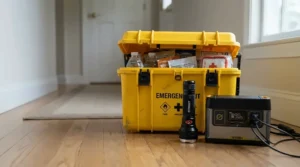
A power station for emergency preparedness kit duty is brilliant, but it shouldn’t be the whole kit. Government guidance on preparing for emergencies recommends building a kit gradually, and local resilience advice highlights a torch (battery or wind-up, and safer than candles), a charged power bank, a first aid kit and a radio.
Think of the power station as the heavy battery behind those lighter items. A small power bank keeps your phone alive for a day, while a power station keeps phones, router and a lamp running far longer. Here’s a sensible layout:
- ✅ Torch or head torch with spare batteries
- ✅ Wind-up or battery radio
- ✅ Charged power bank for each phone
- ✅ Power station stored at a healthy charge, with its cables beside it
- ✅ First aid kit, written contact list and key numbers, including 105
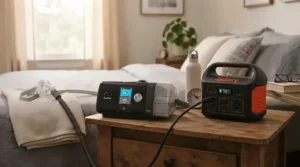
Write down your household plan and talk it through with everyone at home, because a plan only the buyer knows isn’t much of a plan. If someone relies on powered medical equipment, don’t treat a power station as a complete solution. Check with the device manufacturer and your clinician, and join the free Priority Services Register through your supplier or network operator.
UK Power Cut Helpline 105: Who to Call and What to Do
Here’s a small but surprisingly useful fact. When the power goes out, most people ring their energy supplier, but the right call is to 105. The UK power cut helpline 105 is free, works from landlines and most mobiles, and connects you to your local electricity network operator, whoever you buy your electricity from. The 105 service covers England, Scotland and Wales, and it’s also the number for reporting damaged power lines or substations. Northern Ireland uses NIE Networks (03457 643 643).
Here’s a practical problem-to-solution flow:
- Check it’s not just you. Look at your fuse board or trip switch and see whether neighbours are affected.
- Call 105. Report the cut and note any reference you’re given. Keep your phone charged, since you may be on hold.
- Danger? Call 999. Fallen cables, sparks or fire are emergencies, not 105 matters.
- Ask about restoration estimates. Updates help you decide whether to ration power-station capacity.
- Think about compensation. Ofgem sets Guaranteed Standards of Performance for long outages, so check its current thresholds.
This is where a power station earns its keep. Keeping a phone and router alive means you can report the fault, follow updates and stay in touch while you wait.
Real-World Scenarios: Which Power Station Fits Your Home?
Specs only mean something once you attach them to a life. Here are three profiles.
The city flat and remote worker. Budget around £200, an occasional cut of an hour or two, a router, laptop and phone to keep alive. The EcoFlow River 3 keeps broadband running for roughly ten hours, fits on a shelf and recharges in about an hour. Anything bigger is wasted money and shelf space.
The family semi. Fridge-freezer, router, lights, TV, school laptops, cuts a few times a year, mostly storms. Budget £400–£600. A 1kWh-class unit gives roughly seven or eight hours of essentials, which covers most cuts. The Anker SOLIX C1000 Gen 2 suits those who want fast recharge between repeated cuts, the Jackery Explorer 1000 v2 suits those who want it light, and the EcoFlow Delta 2 suits those who want room to grow.
The rural home with long storm cuts. Hours, sometimes into a second day, with well pumps, freezers and perhaps home working. The EcoFlow Delta Pro 3 gives around 29 hours of essentials and expands further, while a Bluetti AC180 or EcoFlow Delta 2 with an expansion battery is a middle route if budget is tighter. Rural homes also benefit most from adding solar panels, though UK winter output is modest, so treat solar as a top-up rather than a plan.
✨ Ready to Build Your Power-Cut Plan?
🔍 Take your home resilience to the next level with these carefully selected units. Click on any highlighted product to check current pricing and availability, then match capacity to the household profile above. A little preparation now means a lot less fumbling in the dark later!
Portable Power Station vs Petrol Generator vs Standalone UPS vs Power Bank
People often ask whether a petrol generator is the better answer. For most households, the portable power station wins on safety and convenience, but each option has its place.
| Factor | Portable power station | Petrol generator | Standalone UPS | Power bank |
|---|---|---|---|---|
| Indoor safety | No combustion fumes | Never indoors; carbon monoxide risk | Safe | Safe |
| Noise | Near-silent to fan hum | Loud | Low | Silent |
| Runtime | Hours to days, by size | As long as you have fuel | Minutes | Phone-charging only |
| Switchover | 10–30ms with UPS mode | Manual start | Near-instant | N/A |
| Maintenance | Occasional top-ups | Fuel, servicing, starting | Battery replacement | Minimal |
| Best For | Home backup, camping | Long outages, heavy loads, outdoors | Graceful PC shutdown | Phones on the move |
A petrol generator can outlast any battery for as long as you can fetch fuel, and it handles heavy loads cheaply. But it brings noise, fuel storage and carbon-monoxide risk, and must be kept outdoors. A standalone UPS is excellent for a desktop PC but gives minutes, not hours. A power bank is a phone-only solution. For typical UK cuts of a few hours, a power station gives the best balance. For multi-day events, some rural households pair a large power station with a generator that’s used safely outdoors purely to recharge it.
Common Mistakes When Buying a Portable Power Station for Power Cuts
Most regrets fall into the same few traps.
- Buying on capacity alone. A 2kWh unit with a weak inverter still can’t start a heavy appliance. Check output and surge as well as watt-hours.
- Ignoring UK kettle reality. Most standard kettles draw around 2–3kW. Only the biggest units cope, so decide whether that matters to you.
- Forgetting the weight. A 16kg unit feels very different from 51.5kg when you’re carrying it to the loft or a cupboard.
- Letting it sit at zero or untouched. An uncharged power station is a very expensive paperweight. EcoFlow’s guidance for the Delta 2 on long-term storage suggests discharging to about 30% and recharging to about 60% every three months, and says units left uncharged for six months may lose warranty cover. Check your own manual.
- Buying from an unauthorised seller. Several brands tie extended warranties to official or authorised sellers, so read the listing carefully.
- Assuming the router stays online no matter what. If the network upstream is down, even a perfect backup won’t help.
Long-Term Cost, Maintenance and Safety for Home Power Stations
Cost per use is where LiFePO4 shines. A unit rated for 3,000 cycles to 80% capacity could in theory deliver thousands of full discharges. For a £500 unit, that’s a few pence per cycle on paper, though a backup unit is rarely cycled that hard. The real value is years of dependable readiness, so a five-year warranty and a quoted 10-year lifespan matter more than the cycle count.
Maintenance is minimal but non-negotiable. Put a calendar reminder in every three months to check charge level, test UPS mode and inspect cables. Store the unit somewhere cool and dry, away from hot or freezing locations.
Safety deserves respect. Fire services advise following manufacturer instructions, never covering chargers or battery packs, avoiding very hot or cold storage, and not charging lithium batteries while you sleep or when you leave the house. See this fire service guidance on charging lithium batteries safely. Buy genuine products that meet British or European safety standards, such as CE or UKCA marking, and stop using a unit that swells, smells, overheats or makes unusual noises.

FAQ
❓ Can I leave a portable power station plugged in as a permanent UPS?
❓ Is a portable power station safe to use indoors?
❓ Can a portable power station run my boiler during a power cut?
❓ How often should I top up a portable power station kept for emergencies?
❓ Does solar charging work for a portable power station in the UK winter?
Conclusion
The right portable power station for power cuts is the one that matches your household, not the one with the biggest number on the box. If you only need to keep broadband and phones alive, the EcoFlow River 3 is the cheapest peace of mind in this guide. If you want a mid-size unit with built-in lights, the Anker SOLIX C800 Plus is worth a look.
For most UK homes, the 1kWh class is the sweet spot. The Jackery Explorer 1000 v2 is the lightest, the EcoFlow Delta 2 is the most expandable, the Anker SOLIX C1000 Gen 2 has the fastest switchover and recharge, and the Bluetti AC180 offers the most capacity at the cost of weight. If outages run to days, the EcoFlow Delta Pro 3 is the heavyweight answer, though it’s overkill for short cuts.
Whichever you choose, the habits matter as much as the hardware. Keep it charged, test it quarterly, store it safely, save 105 in your phone, and build a simple kit around it. Done properly, the next blackout becomes an inconvenience rather than an emergency.
Recommended for You
- Power Station For Long Power Outages: 7 Best UK Picks (2026)
- Whole House Power Station System: 7 Proven UK Picks (2026)
- Power Station For Growing Power Needs: 7 Proven Picks (2026)
Disclaimer: This article contains affiliate links. As an Amazon Associate, I earn from qualifying purchases. If you purchase products through these links, we may earn a small commission at no additional cost to you.
✨ Found this helpful? Share it with your friends! 💬🤗
