In This Article
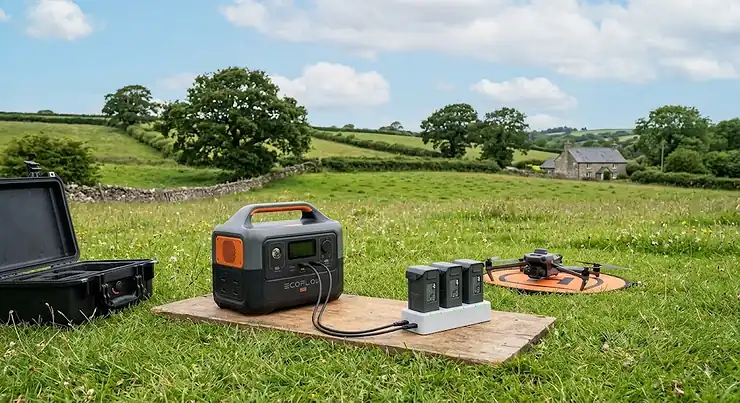
Anyone who has stood on a windswept headland watching a drone battery icon flash red understands the specific misery of a flight cut short. A power station for drone charging solves that problem the unglamorous way: not with a bigger battery bag, but with a proper portable power supply that refills spent batteries while you’re still out in the field. It sounds simple. It isn’t, quite — buy the wrong one and you’ll be lugging around three kilos of dead weight that can’t even fill a Mavic battery twice.
This guide exists because most “best power station” round-ups are written for campervan owners and power-cut preppers, not for people who need to keep flying, fishing, or filming long after the car’s out of sight. We’ve dug into real specifications, genuine aggregated reviewer sentiment, and the sort of practical detail that Amazon listings tend to skip — things like actual watt-hour consumption per drone battery, how DC output ports differ from AC, and why a cycle-life number on a spec sheet means almost nothing without context.
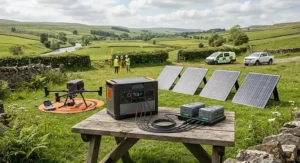
Over the next few thousand words we’ll compare seven real, currently available units spanning budget to premium, work out what a power station for drone charging genuinely needs to do, and cover the adjacent questions readers actually search for — fishing-trip suitability, whether a sub-300Wh unit beats a chunky power bank, and how field charging via solar or car actually performs versus the marketing claims. Let’s get into it.
Quick Comparison Table
| Power Station | Capacity | Output | Cycle Life | Best For |
|---|---|---|---|---|
| Jackery Explorer 1000 v2 | 1070Wh | 1500W (3000W surge) | ~4,000 cycles | Multi-battery charging hubs, pro drone days |
| EcoFlow RIVER 2 Pro | 768Wh | 800W (X-Boost) | ~3,000 cycles | Fastest recharge between sessions |
| Jackery Explorer 500 v2 | 512Wh | 500W | ~4,000 cycles | Lightweight all-rounder, fishing & camping |
| Anker SOLIX C300X | 288Wh | 300W (600W surge) | ~3,000 cycles | Carry-strap portability for bankside use |
| BLUETTI Elite 30 V2 | 288Wh | 600W (1500W lift) | ~3,000 cycles | Budget entry with fast 70-min recharge |
| Jackery Explorer 240 v2 | 256Wh | 300W | ~3,000 cycles | Palm-sized backup for day trips |
| Anker SOLIX C200 DC | 192Wh | 200W (DC-only) | ~3,000 cycles | Dedicated DC output ports, ultralight |
Looking at the spread here, capacity and continuous output don’t scale together in a straight line, which trips a lot of first-time buyers up. The Jackery Explorer 1000 v2 offers roughly double the watt-hours of the Jackery Explorer 500 v2 but nearly triple the continuous wattage — useful if you’re running a multi-battery drone charging hub rather than a single charger. Meanwhile the Anker SOLIX C200 DC trades AC power entirely for a leaner, DC-only design that’s genuinely better suited to charging small electronics directly, a distinction we’ll unpack properly later in this guide.
💬 Found a model here that fits your kit bag? Check today’s price before it changes.🤗
Top 7 Power Stations for Drone Charging: Expert Analysis
Choosing the right unit really comes down to matching watt-hours and output wattage to your actual flying pattern, not just grabbing the biggest number on the box. Below we’ve grouped seven genuinely available models across budget, mid-range and premium tiers, each with the honest trade-offs laid out plainly.
1. Jackery Explorer 1000 v2 — best for multi-battery charging hubs
The standout here is capacity paired with genuine 1500W continuous output, which matters more than it sounds for drone pilots specifically. At 1070Wh with 1500W continuous output and 3000W surge capacity, this unit can run a DJI three-battery charging hub at full tilt (around 100W draw) for roughly nine hours straight, which in practical terms means charging six to eight Mavic 3 batteries in a single outing without ever plugging into the mains. The three AC sockets, two USB-C ports and a car-style outlet mean you’re not choosing between charging a laptop for editing footage and topping up a spare battery — you do both at once. Reviewers testing the unit for extended outdoor sessions report it comfortably ran a laptop under a near-continuous 100W draw for six hours alongside camera and drone charging, which lines up with the rated capacity. This is squarely a professional-use pick: real estate shoot days, survey work, or anyone burning through four-plus batteries per session, rather than the casual weekend flier.
Pros:
- ✅ Genuinely fast one-hour AC recharge via the companion app
- ✅ 62-point ChargeShield 2.0 protection system, CE certified
- ✅ Enough headroom for a multi-battery hub plus a laptop simultaneously
Cons:
- ❌ At over 10kg it’s not something you’ll carry far on foot
- ❌ Overkill capacity for anyone flying a single Mini-class drone occasionally
Prices for this model tend to sit in the £750-£900 range depending on bundle and retailer promotions at the time of research; check current price before buying, as Amazon UK pricing shifts often. For serious multi-battery pilots, the value case is straightforward — you’re paying for capacity you’ll actually use rather than headroom that sits idle.
2. EcoFlow RIVER 2 Pro — fastest wall recharge for back-to-back sessions
What sets this one apart is recharge speed, not raw capacity — a genuinely useful trait if you’re shooting multiple locations in a day. The 768Wh LiFePO4 battery pairs with 800W continuous output, and EcoFlow’s X-Boost technology intelligently manages power delivery to appliances that slightly exceed the rated wattage rather than simply cutting out. In practice, that sub-60-minute wall recharge means you can top the unit back up to near-full during a lunch stop and be ready for an entire second session, something the slower-charging units in this list simply can’t match. For a drone pilot moving between three or four locations in a single day — coastal shots in the morning, inland surveys in the afternoon — that recharge speed changes the whole day’s logistics. The 3000-cycle LFP rating and companion app for monitoring remaining charge round out a genuinely well-considered mid-tier unit.
Pros:
- ✅ Sub-60-minute full recharge from the mains
- ✅ X-Boost handles borderline-wattage devices without cutting power
- ✅ Reliable app-based monitoring of remaining capacity
Cons:
- ❌ 800W ceiling won’t run larger AC-hungry equipment
- ❌ Heavier than the 500Wh-class units at 7.8kg
Expect to pay in the £500-£600 range at the time of research, positioning it as a genuine step up from entry-level units without reaching flagship pricing. If your flying days involve multiple locations rather than one long static session, the recharge speed alone can justify the premium over slower mid-range alternatives.
3. Jackery Explorer 500 v2 — lightest all-rounder for fishing bank sessions
The headline feature is weight: at 6.4kg this is genuinely the lightest capable unit on this list, and that matters enormously if you’re walking a riverbank or hiking to a flying spot rather than parking beside it. The 512Wh capacity comfortably covers two full nights of mixed device charging — phones, a laptop, LED lighting, and several drone battery cycles — without approaching empty. Reviewers consistently note that the LiFePO4 cell handles the repeated partial top-ups typical of a day out (charge a battery to 80%, use it, top up again) without the capacity fade you’d see from older lithium-ion chemistry, and the roughly 4,000-cycle rating backs that up on paper. This is the pick for anyone whose “field” is genuinely a field — a riverbank, a hillside, a beach — rather than a car park with a drone launched from the boot.
Pros:
- ✅ Genuinely portable at 6.4kg — fits a large rucksack’s front pocket
- ✅ 4,000-cycle LiFePO4 cell tolerates repeated partial charging well
- ✅ Comfortably covers a full day of mixed drone, phone and laptop charging
Cons:
- ❌ 500W continuous output rules out anything power-hungry
- ❌ No pass-through charging while running off solar input
Price at the time of research sits around £275 on Amazon UK, making it one of the stronger value propositions in this line-up. For hikers, anglers and anyone covering distance on foot before they even switch a drone on, the weight-to-capacity ratio here is hard to beat.
4. Anker SOLIX C300X — best for carry-strap portability at the water’s edge
The distinguishing feature is the adjustable carry strap, a small design choice that matters a lot more than it looks on a spec sheet once you’re hauling gear down to a swim or a launch point. At 288Wh with 300W continuous output (600W surge) and a 140W two-way fast-charge port, the Anker SOLIX C300X slots into that useful middle ground between a large power bank and a full camping power station. The 140W input means a near-empty unit can be back to a usable charge from a car socket or wall outlet faster than most units in its capacity class, which is genuinely handy when you’ve only got a lunch break to top up before the afternoon session. Anker’s LiFePO4 cell and established UK retail presence give this one a slight trust edge over lesser-known budget alternatives in the same price bracket.
Pros:
- ✅ Adjustable strap makes it genuinely carryable over distance
- ✅ 140W two-way fast charging cuts recharge time noticeably
- ✅ LiFePO4 cell from an established, warranty-backed brand
Cons:
- ❌ 300W ceiling is tight if you’re also running lighting or a speaker
- ❌ Capacity alone won’t sustain an all-day multi-battery hub
At around £220-£280 depending on bundle at the time of research, this sits toward the upper end of the sub-300Wh bracket, but the fast-charge port and carry design go some way toward justifying it for anyone regularly on the move between spots.
5. BLUETTI Elite 30 V2 — sub-£200 entry point with a genuinely fast recharge
What stands out immediately is the price-to-recharge-speed ratio: a 0-100% refill in around 70 minutes is unusually quick for a unit at this price point. The 288Wh LiFePO4 battery delivers 600W continuous output with 1500W of “power lifting” for brief surges, alongside a 10ms UPS switching time that’s more relevant to home backup than drone work but does no harm here. For a first-time buyer testing whether a power station actually fits their routine before committing to a pricier unit, this is a sensible low-risk entry — genuine LiFePO4 chemistry rather than a compromise chemistry, at a price that doesn’t sting if your flying habits change. Aggregated reviewer sentiment on this model tends to highlight the recharge speed and build quality relative to price as the standout, with the smaller 288Wh capacity flagged as the main limiting factor for longer outings.
Pros:
- ✅ Around 70-minute full recharge — fast for the price bracket
- ✅ Genuine LiFePO4 cell rather than a cheaper compromise chemistry
- ✅ Sub-£200 entry point lowers the risk of trying the category
Cons:
- ❌ 288Wh capacity limits you to a handful of battery charges per outing
- ❌ 600W ceiling means no larger appliances alongside your charging setup
Priced at around £199 at the time of research, this is arguably the most accessible genuine-LiFePO4 option on the list, and a sound starting point for anyone unsure how much capacity they’ll actually need.
6. Jackery Explorer 240 v2 — palm-friendly backup built for day trips
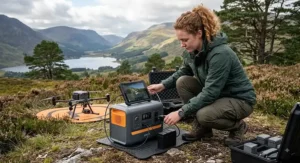
The standout here is sheer portability combined with Jackery’s brand reliability — this is explicitly marketed by retailers for camping, fishing and picnic use rather than positioned as a scaled-down home backup unit. At 256Wh with 300W AC output and a 100W USB-C port, plus a roughly one-hour fast charge, the Jackery Explorer 240 v2 covers the essentials: two or three phone charges, a laptop session, and a couple of drone battery top-ups without weighing down a day bag. At 7.7lbs (around 3.5kg) it’s light enough to genuinely forget you’re carrying it. The 100W USB-C output is worth flagging specifically for drone pilots, since many newer battery chargers and charging hubs now accept USB-C PD input directly, sidestepping the AC inverter (and its small efficiency loss) entirely.
Pros:
- ✅ Genuinely pocketable at 3.5kg for a full day’s charging needs
- ✅ 100W USB-C port bypasses the AC inverter for compatible chargers
- ✅ Around one-hour fast recharge keeps downtime short
Cons:
- ❌ 256Wh capacity suits day trips, not multi-day outings
- ❌ 300W AC ceiling is the tightest of the mid-tier units here
Expect a price in the £180-£230 range at the time of research. For day-trippers who want AC and USB-C flexibility without stepping up to a heavier 500Wh-class unit, this is a sensible middle path.
7. Anker SOLIX C200 DC — dedicated DC output ports for lean, direct charging
This one takes a genuinely different approach: rather than cramming in an AC inverter, the Anker SOLIX C200 DC is built specifically around DC output ports, which strips out inverter weight and inefficiency for devices that can charge on DC directly. At 192Wh with 200W of DC-only output, it’s the smallest true “power station” here rather than a glorified power bank, and it pairs with an optional 60W solar panel for genuine off-grid top-ups. For drone pilots whose chargers or hubs accept a DC or car-style 12V input — a common setup for dedicated battery hubs — skipping the AC inversion stage means less energy lost as heat and a lighter unit to carry. It won’t run a laptop charger that insists on AC, so it’s a specialist pick rather than an all-rounder, but for its specific niche it does the job with less bulk than anything else on this list.
Pros:
- ✅ DC-only design cuts weight and inverter losses for compatible chargers
- ✅ Pairs directly with a 60W solar panel for field top-ups
- ✅ Genuine LiFePO4 cell in the smallest footprint here
Cons:
- ❌ No AC output at all — incompatible with mains-only chargers
- ❌ 192Wh capacity is the lowest of the seven, suiting light use only
At around £130-£170 at the time of research, this is a niche but genuinely useful pick for anyone whose charging kit is already DC-native.
Practical Usage Guide: Getting the Most From Your Power Station
Setting a new power station up properly in the first week matters more than most buyers assume. Start by fully charging the unit before first use, then run it down to around 20% and back up once — this isn’t essential for LiFePO4 chemistry the way it was for older lithium-ion packs, but it lets the battery management system calibrate its percentage readout accurately, so your “40% remaining” actually means 40%. Keep the unit somewhere between roughly 20% and 80% charge for day-to-day storage rather than leaving it permanently at 100%, which is the single biggest factor in long-term capacity retention according to manufacturer guidance across every brand covered here.
A common first-month mistake is treating the rated output wattage as a hard ceiling you can approach casually — running a device at 95% of rated output for hours generates meaningfully more heat than running it at 60%, and repeated heat cycling is what actually shortens battery life over years of use, not simply the number of charges. For drone-specific use, charge batteries individually where possible rather than running a multi-battery hub at full tilt every single session; it’s gentler on both the power station and the drone batteries themselves. Finally, before any trip, do a five-minute check: confirm the unit holds charge overnight (a genuine fault will show up as unexpected drain), inspect ports for debris, and pack the original charging cable rather than a generic replacement — mismatched chargers are a recognised cause of premature battery degradation and, in rare cases, safety incidents.
Real-World Scenarios: Matching the Power Station to the Pilot
The weekend hobbyist flying a DJI Mini series drone burns through roughly 25-30Wh per battery charge including inverter losses, meaning even a modest 256Wh unit like the Jackery Explorer 240 v2 comfortably covers six to eight charges in a single outing — more than most casual pilots will fly through in a day. Budget and portability matter more than raw capacity here, so a sub-300Wh unit under £250 is genuinely the sensible choice rather than a false economy.
The semi-professional shooting real estate or survey work on a Mavic 3-class drone faces a different maths problem entirely: those batteries consume closer to 90-100Wh per charge including losses, and a typical session burns through four to eight batteries. This is where the Jackery Explorer 1000 v2 or EcoFlow RIVER 2 Pro earn their higher price tags — running out of charge mid-shoot on a paid job isn’t a minor inconvenience, it’s a missed deadline.
The angler who occasionally flies a drone to scout swims or capture footage has a slightly different priority list: weight for the walk to the water, weather resistance, and enough capacity to also run a bite alarm, a head torch and a phone overnight. The Jackery Explorer 500 v2 or Anker SOLIX C300X both suit this dual-purpose use case better than a drone-only specialist unit, since neither sacrifices much capacity for the sake of a slightly lighter build.
What Is a Power Station for Drone Charging?
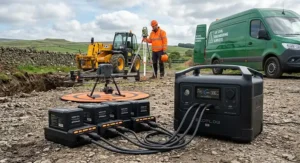
A power station for drone charging is a portable, rechargeable battery unit — typically built around LiFePO4 cells — that supplies AC and/or DC output to recharge drone flight batteries away from mains power, letting pilots keep flying through a full day in the field rather than stopping when the last spare battery dies.
Unlike a standard power bank, a genuine power station includes an inverter (for AC-output models), multiple port types, and enough capacity to handle repeated full-size battery charges rather than the trickle-top-ups a phone-focused power bank is designed for. According to the UK Civil Aviation Authority’s drone flying guidance, pilots operating in the Open Category must always maintain visual line of sight and respect a 120-metre altitude ceiling — rules that make sense together with a power station, since longer, more deliberate sessions from a single fixed spot are exactly the flying pattern this kit is built for.
How to Choose a Power Station for Drone Charging
- Calculate your actual watt-hour need first. Work out how many battery charges you realistically need per session and multiply by the Wh-per-charge figure for your drone (roughly 25-30Wh for Mini-class, 45-50Wh for Air-class, 90-100Wh for Mavic-class including inverter losses).
- Match continuous output wattage to your charging hub, not just your charger. A single charger might draw 30-65W, but a multi-battery hub can pull 60-100W or more — check the hub’s rated draw specifically.
- Prioritise LiFePO4 chemistry over standard lithium-ion. The longer cycle life and better thermal stability matter more over a year of regular use than a small weight saving from an older chemistry.
- Weigh port selection against your actual charger types. If your hub uses USB-C PD or a DC barrel connector, a DC-focused unit like the Anker SOLIX C200 DC may outperform a heavier AC-inverter unit for your specific setup.
- Check recharge speed, not just battery capacity. A unit with a sub-70-minute wall recharge, like the BLUETTI Elite 30 V2 or EcoFlow RIVER 2 Pro, lets you top up between sessions rather than planning your whole day around a single charge.
- Factor in weight against how far you’ll actually carry it. A 10kg unit that never leaves the car boot is fine; the same unit on a two-mile walk to a flying spot is a genuine problem.
- Read aggregated reviewer sentiment on real-world durability, not just the headline spec sheet — cycle-life ratings are lab figures, and field performance varies by brand and build quality.
Power Station for Fishing Trips: What Anglers Actually Need
A power station for fishing trips has a slightly different job description to one bought purely for drones, and it’s worth being honest about that rather than pretending one unit does everything equally well. Anglers typically need to run a bite alarm or two (a handful of watts, negligible draw), a head torch or bivvy light through the night, a phone for weather checks and photos, and increasingly, a drone for scouting swims or filming a catch release — all of which adds up to modest continuous wattage but genuine overnight duration.
This is where capacity matters more than peak output for most fishing sessions. A 500Wh-class unit like the Jackery Explorer 500 v2 comfortably covers an overnight session with margin to spare, while lighter 250-300Wh units such as the Jackery Explorer 240 v2 or Anker SOLIX C300X suit day sessions or short overnighters where weight to the swim matters more than headroom. Weatherproofing is worth checking specifically here too — none of the units in this guide are rated for direct rain exposure, so a dry bag or tackle box compartment isn’t optional kit, it’s essential. Reviewers who use these units specifically for fishing consistently flag portability and quiet operation (no generator noise to spook fish or annoy neighbouring anglers) as the two biggest wins over a traditional petrol generator.
Under 300Wh Power Station vs Power Bank: Which Do You Actually Need?
This is genuinely one of the most common points of confusion in the category, and the honest answer is that the line between the two has blurred considerably. A traditional power bank — something in the 10,000-25,000mAh range — is built purely around USB output for phones, tablets and occasionally laptops via USB-C PD. A sub-300Wh power station, by contrast, typically adds a genuine AC socket, higher continuous wattage, and a more robust battery management system, even though the raw capacity gap between a large power bank and a small power station has narrowed to the point where a 99Wh, palm-sized unit sits almost exactly between the two categories.
| Feature | Power Bank (~20,000-25,000mAh) | Sub-300Wh Power Station |
|---|---|---|
| Typical capacity | 74-90Wh equivalent | 190-290Wh |
| AC output | Rare, if present | Standard |
| Continuous output | Typically under 100W | 200-600W |
| Best For | Phones, tablets, single drone battery top-ups | Full charging sessions, multiple devices |
The practical takeaway is that a power bank suffices if you’re only topping up a phone and maybe one drone battery on a short outing, but the moment you need an AC socket, a second or third full battery charge, or you’re running lighting alongside device charging, a sub-300Wh power station like the Anker SOLIX C200 DC or BLUETTI Elite 30 V2 earns its extra weight and cost comfortably.
DC Output Ports Explained
DC output ports matter more to drone pilots than most buying guides acknowledge, largely because so many charging accessories — car-style 12V sockets, USB-C PD chargers, and many dedicated multi-battery hubs — accept DC power directly rather than needing an AC inverter stage at all. Every watt that passes through an inverter loses a small percentage as heat; skip the inverter with a DC-native charger and a unit like the Anker SOLIX C200 DC genuinely delivers more usable energy per watt-hour of stored capacity than an AC-equivalent unit of the same size.
The trade-off is flexibility. A DC-only unit won’t run a laptop charger that demands a three-pin plug, so it suits pilots and anglers whose full kit list is already DC-compatible rather than a mixed bag of AC and DC devices. Checking your charger’s input specification before assuming a DC-only power station will work for your setup is a five-minute job that avoids a genuinely disappointing first trip out.
Battery Cycle Life: What the Numbers Actually Mean
Battery cycle life is the single most misunderstood spec on any power station listing, and manufacturers aren’t always doing buyers any favours by quoting the most flattering lab figure available. According to Wikipedia’s technical overview of lithium iron phosphate batteries, LiFePO4 cells commonly achieve cycle life figures ranging from roughly 2,500 up to 9,000 cycles depending on depth of discharge, charging rate and operating temperature — a huge range that explains why one manufacturer’s “3,000 cycles” and another’s “6,000 cycles” claim aren’t always directly comparable.
A “cycle” technically means one full 0-100% discharge and recharge, but almost nobody uses a power station that way in practice — most people top up from 60% to 90%, which is a partial cycle and is far gentler on the cell than a genuine full discharge. This is precisely why the 3,000-4,000 cycle ratings quoted across the units in this guide translate to years, not months, of realistic use: a keen weekend flier doing one substantial charge session a week is looking at 50-60 cycles a year, meaning even the more conservative 3,000-cycle rating comfortably outlasts most people’s ownership of the unit. Depth of discharge, charging speed, and storage temperature all affect real-world longevity more than the headline number alone, so treating cycle life as a rough guide rather than a guarantee is the sensible approach.
Field Charging: Solar, Car, and Wall Options Compared
| Charging Method | Typical Speed | Best For |
|---|---|---|
| Wall (AC mains) | 60-90 minutes (fast-charge models) | Overnight or lunch-break top-ups |
| Car (12V) | 4-8 hours depending on capacity | Slow background charging while driving to a spot |
| Solar panel | 4-10 hours, weather-dependent | Multi-day trips with no mains access |
Wall charging is the most predictable option by a wide margin, and it’s genuinely worth prioritising a fast-charge model if your routine involves topping up between sessions rather than overnight — the difference between a 70-minute recharge on the BLUETTI Elite 30 V2 and a several-hour recharge on a slower unit can decide whether you get a second session in on the same day. Car charging is convenient for the drive out but shouldn’t be relied on as your primary method, since most units cap car-input charging well below their AC input speed. Solar charging is genuinely useful for multi-day trips away from mains power, but the “up to X hours” figures on solar panel listings assume ideal, cloudless conditions rarely seen on a typical UK outing — plan for roughly double the advertised time in realistic weather, and treat solar as a top-up method rather than your sole charging plan.
Common Mistakes When Buying a Power Station for Drone Charging
Buying on capacity alone without checking continuous output wattage is the single most frequent error — a large Wh figure means nothing if the unit can’t sustain the wattage your charging hub actually draws. A close second is ignoring weight entirely, particularly among buyers who test a unit at home and only discover on the first proper trip that a 10kg power station is genuinely unpleasant to carry any real distance. Skipping the port-compatibility check is another recurring trap: buying a DC-only unit without confirming your charger accepts DC input, or conversely paying extra for an AC inverter you’ll never actually use.
Assuming all “LiFePO4” claims are equal is a subtler mistake — cell quality and BMS sophistication vary meaningfully between manufacturers even at the same advertised capacity and chemistry, which is why aggregated reviewer sentiment and established brand warranties genuinely matter as a filter. Finally, buying the cheapest unlisted-brand option from a third-party marketplace seller is a false economy more often than not; the UK Office for Product Safety and Standards’ recalls and alerts register has flagged genuine electrical safety issues in unbranded power station units sold online, underlining why sticking to established brands with a verifiable UK presence is worth the modest price premium.
Safety, Regulations & Compliance Guide
Every unit featured in this guide uses LiFePO4 chemistry specifically because of its superior thermal stability compared with older lithium-ion cells, but that doesn’t mean charging habits stop mattering. Electrical Safety First’s guidance on lithium-ion batteries recommends always using the charger supplied with the unit, avoiding leaving anything on continuous charge overnight unmonitored, and disconnecting once a charge cycle completes rather than leaving devices permanently topped up. For UK buyers specifically, look for genuine UKCA or CE marking on the unit and its charger — this indicates the product has been assessed against UK or EU electrical safety standards, unlike some unbranded imports.
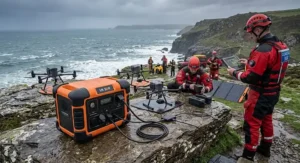
For drone-specific compliance, remember that the power station itself isn’t the regulated item — your drone and how you fly it are. Depending on weight, your drone will fall under different CAA categories requiring an Operator ID, a Flyer ID, or both, with rules on maximum altitude and maintaining visual line of sight applying regardless of how you’re charging your batteries. None of this changes because you’re charging in the field rather than at home, but it’s worth a quick refresher before any trip involving a power station and a drone bag packed for a full day out.
Frequently Asked Questions
❓ How many drone batteries can a power station for drone charging charge on one trip?
❓ Is a power station for drone charging worth it for occasional fliers?
❓ Can I take a power station for drone charging on a fishing trip overnight?
❓ What's the difference between DC output ports and AC output on a power station?
❓ How long does battery cycle life actually last in real-world use?
Conclusion
Choosing a power station for drone charging really comes down to being honest about your own flying pattern rather than chasing the biggest spec sheet in the shop. Casual weekend pilots flying a Mini-class drone genuinely don’t need the Jackery Explorer 1000 v2‘s 1070Wh of capacity — a lighter, cheaper unit like the Jackery Explorer 240 v2 or Anker SOLIX C200 DC will do the job better simply because it’s the one you’ll actually want to carry. Professionals and semi-professionals burning through six or more Mavic-class batteries per session, on the other hand, will find that extra capacity pays for itself the first time it saves a shoot day.
Across the seven units covered here, LiFePO4 chemistry, sensible port selection matched to your actual charger, and realistic expectations around cycle life and field charging speed matter more than any single headline number. Whether your priority is the fastest recharge for back-to-back sessions, the lightest carry for a long walk to the water, or dedicated DC output ports for a lean, efficient setup, there’s a genuinely suitable option above rather than a compromise. Check current prices before deciding, since availability and promotions shift regularly across Amazon UK.
✨ Ready to Keep Your Batteries Topped Up?
🔍 Compare today’s prices on any of the seven power stations above before your next trip out. A few minutes checking current availability now could save a flight — or a fishing session — cut short later.
Recommended for You
- Power Station Under 300Wh: 7 Best Picks for 2026 Slug
- Portable Power Station vs Power Bank: 7 Best Picks for 2026
- Portable Power Station Under 500Wh: 7 Best Picks (2026)
Disclaimer: This article contains affiliate links. As an Amazon Associate, I earn from qualifying purchases. If you purchase products through these links, we may earn a small commission at no additional cost to you.
✨ Found this helpful? Share it with your friends! 💬🤗
