In This Article
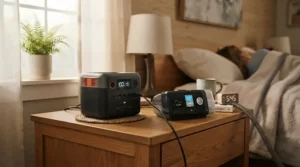
There’s a particular kind of dread that comes with watching a storm warning scroll across the bottom of your telly when someone in your house depends on a CPAP machine, a nebuliser, or an oxygen concentrator to breathe properly through the night. A power station for medical equipment home backup isn’t a gadget you buy for fun — it’s the difference between a mildly annoying evening by candlelight and a genuinely frightening one. The good news is that the technology has moved on enormously in the last couple of years. Lithium iron phosphate batteries, near-instant UPS switchover, and app-controlled monitoring mean you can now buy a battery the size of a car battery that will quietly keep a CPAP running all night, a router blinking, and a fridge full of insulin cold, all without you lifting a finger when the lights go out.

This guide walks through seven real, currently available units, from a bedside-drawer-sized starter unit through to a whole-home battery big enough to run a boiler pump for days. We’ll look at how switchover time actually protects sensitive kit, what “battery reliability testing” means in practice, and how long each unit will realistically keep medical devices running — not marketing-brochure runtime, but numbers you can plan around. According to NHS guidance, CPAP is a device worn with a mask that delivers pressurised air to keep the airway open during sleep, which is precisely why an overnight power cut matters so much for the people who rely on it.
Quick Comparison Table
Before we get into the detail, here’s the shortlist at a glance — useful if you already know roughly what capacity and budget you’re working with.
| Power Station | Capacity | UPS Switchover | Best For |
|---|---|---|---|
| EcoFlow River 3 Plus | 286Wh | Under 10ms | Bedside CPAP-only backup |
| BLUETTI AC180 | 1,152Wh | Under 20ms | Budget multi-device backup |
| Jackery Explorer 1000 v2 | 1,070Wh | Around 20ms | Reliable all-rounder |
| EcoFlow Delta 3 | 1,536Wh (expandable) | Under 15ms | Expandable whole-room backup |
| Anker SOLIX C1000 Gen 2 | 1,024Wh | Under 10ms | Fastest recharge |
| BLUETTI Elite 200 V2 | 2,073.6Wh | 15ms | High-capacity multi-device homes |
| Anker SOLIX F3800 | 3,840Wh | Sub-20ms | Whole-home, boiler & appliances |
Looking at this spread, the pattern that jumps out is that switchover time barely changes with price — even the cheapest unit here clears its sensitive-electronics threshold comfortably. What genuinely separates a £280 unit from a £2,500 one is capacity and continuous output, which determines whether you’re backing up one CPAP machine or an entire household’s worth of medical, communication, and heating kit at once.
Found a match already? Bookmark this page so you can come back and compare specs properly before you buy.
Top 7 Power Stations for Medical Equipment Home Backup: Expert Analysis
Picking the right power station for medical equipment home backup comes down to matching wattage and runtime to your actual devices, not chasing the biggest number on the box. Below are seven genuinely available units spanning budget to premium, each assessed on real specifications and aggregated review sentiment rather than marketing copy.
1. EcoFlow River 3 Plus — smallest UPS-grade unit built for a single CPAP
The standout thing about the River 3 Plus is that it manages to squeeze proper UPS behaviour into something you can genuinely keep in a bedside drawer. Its 286Wh LiFePO4 battery pairs with a 600W rated output (1,200W with X-Boost enabled) and, crucially, a switchover time under 10 milliseconds, which is the same class of protection you’d expect from a proper desktop UPS.
Based on the spec comparison, this is a device tuned for one job rather than many: it isn’t going to run your fridge for a weekend, but it’s more than capable of getting a CPAP machine — even one with a heated humidifier — through a full night with capacity to spare. The battery is expandable to 858Wh with an additional wireless pogo-pin battery pack, so if your needs grow, the unit doesn’t become obsolete.
Reviewers who’ve tested this class of compact EcoFlow unit consistently flag it as the pick for apartment dwellers and anyone who wants UPS behaviour without a bulky floor-standing battery. The trade-off, as you’d expect, is headroom: there’s no capacity here for an oxygen concentrator running continuously through the day.
Pros:
- ✅ Sub-10ms UPS switchover protects sensitive medical electronics
- ✅ Compact enough for a bedside table or nightstand drawer
- ✅ Recharges 0-100% in around an hour via mains
Cons:
- ❌ 286Wh capacity limits it to one low-draw device at a time
- ❌ Not sufficient for a continuous-flow oxygen concentrator alone
The EcoFlow River 3 Plus sits in the under-£300 range, making it the entry point for anyone whose primary concern is a single CPAP machine rather than whole-household backup — genuinely good value for what it’s built to do.

2. BLUETTI AC180 — best-value mid-capacity backup for multiple small devices
Where the River 3 Plus is a specialist, the AC180 is a generalist. Its 1,152Wh LiFePO4 battery and 1,800W continuous output (2,700W in Power Lifting Mode) give it enough headroom to run a CPAP, a router, a handful of phone chargers, and a small fridge simultaneously, with a UPS switchover time rated at ≤20 milliseconds.
What most buyers overlook about the AC180 is how much of its value comes from battery longevity rather than raw output — its LiFePO4 cells are rated for around 3,500 charge cycles to significant capacity retention, according to earlier listings, though newer batches from BLUETTI are increasingly rated closer to 6,000 cycles. Either way, that’s a battery built to be cycled through storm season after storm season without meaningfully degrading.
Aggregated buyer sentiment on this model tends to praise its price-to-capacity ratio heavily; the recurring criticism is that the smart app and Bluetooth connection can occasionally lag behind rival apps in polish.
Pros:
- ✅ 1,800W continuous output covers multiple household devices
- ✅ LiFePO4 battery rated for thousands of charge cycles
- ✅ Fast charge to 80% in under 45 minutes
Cons:
- ❌ App and Bluetooth connectivity is less refined than rivals
- ❌ At 16kg, it’s not something you’ll move around daily
The BLUETTI AC180 typically sits in the £600-£900 range depending on promotions, positioning it as the value pick for households that need genuine multi-device coverage without stepping up to premium pricing.
3. Jackery Explorer 1000 v2 — the dependable, widely trusted all-rounder
Jackery built its reputation on reliability rather than flashy specs, and the Explorer 1000 v2 continues that tradition. It packs a 1,070Wh LiFePO4 battery with 1,500W continuous output and a roughly one-hour full recharge, all wrapped in a noticeably lighter, more travel-friendly chassis than its predecessor.
Here’s what to weigh: independent reviewers who’ve put this unit through extended testing describe it as one of the sturdiest and most dependable options in the mid-range category, earning a “Highly Recommended” badge in at least one detailed comparison test. That reputation for dependability matters enormously for medical backup, where you’re buying peace of mind as much as wattage.
On the spec sheet, its UPS switchover sits around the 20-millisecond mark — still comfortably fast enough to protect a CPAP machine or router from an interruption, even if it’s not the very fastest number on this list.
Pros:
- ✅ Strong reputation for build quality and long-term reliability
- ✅ Lightweight at roughly 10.8kg for its capacity class
- ✅ Wide compatibility with Jackery’s own solar panel ecosystem
Cons:
- ❌ Fast-charging mode requires toggling within the companion app
- ❌ Solar input is optimised specifically for Jackery’s own panels
The Jackery Explorer 1000 v2 carries an RRP nearer £900 but is frequently available in the £400-£600 range through Amazon promotions, making it one of the better-value mid-tier units when discounted.
4. EcoFlow Delta 3 — the expandable choice for growing medical needs
If your household’s power needs might grow — a second medical device added down the line, or a longer typical outage duration in your area — the Delta 3 is built precisely for that scenario. Its base 1,536Wh battery can be expanded all the way up to 5.5kWh using additional battery packs, all while keeping a genuinely fast UPS switchover.
What the spec sheet won’t tell you outright is how meaningful that sub-15-millisecond UPS figure is in practice: EcoFlow states the built-in UPS function switches to battery power in under 15 milliseconds, keeping sensitive equipment like computers and routers running without any perceptible interruption. For a household running a CPAP alongside a Wi-Fi-connected medical alert system, that kind of seamless handover is exactly what you want.
The 1,800W continuous output with X-Boost extending to 2,400W means it can comfortably run higher-draw appliances too, not just low-wattage medical devices — useful if a power cut coincides with needing to keep a kettle or space heater running for an elderly relative.
Pros:
- ✅ Expandable to 5.5kWh for long-term growing power needs
- ✅ Sub-15ms UPS switchover protects sensitive electronics
- ✅ Fast 90-minute full recharge from flat
Cons:
- ❌ At 16.5kg it’s not the lightest unit to relocate
- ❌ Expansion batteries are a separate, additional cost
The EcoFlow Delta 3 generally lands in the £900-£1,000 range for the base unit, with expansion batteries priced separately — a genuinely future-proof pick if your backup needs might scale up.
5. Anker SOLIX C1000 Gen 2 — fastest recharge for back-to-back outages
Storms rarely announce themselves politely with a single, tidy outage — more often it’s a rolling series of cuts over a night or two. That’s where the C1000 Gen 2’s headline feature earns its keep: a 49-minute full recharge using HyperFlash technology at 1,600W, which is dramatically faster than most rivals in its capacity class.
Based on the spec comparison, pairing that recharge speed with a 2,000W continuous output (3,000W peak) and a sub-10 millisecond UPS switchover specifically designed to keep CPAP machines and laptops running through outages makes this one of the strongest choices for anyone in an area prone to back-to-back power interruptions rather than single long outages. You can top the battery back up between cuts far faster than most competing units allow.
Anker also backs the battery with a genuinely long-term promise: 4,000 charge cycles while retaining at least 80% capacity, framed as roughly a decade of daily use.
Pros:
- ✅ Full recharge in under 50 minutes via mains
- ✅ Sub-10ms UPS switchover built specifically around CPAP protection
- ✅ 14% smaller and 11% lighter than comparable-capacity rivals
Cons:
- ❌ Fastest charging speed requires enabling via the Anker app
- ❌ Premium pricing relative to its 1,024Wh capacity
The Anker SOLIX C1000 Gen 2 is priced around £800-£1,000, sitting it firmly in the mid-premium bracket — justified largely by that exceptional recharge speed.
6. BLUETTI Elite 200 V2 — high capacity for multiple medical devices at once
Once you’re supporting more than one piece of medical equipment — say a CPAP and an oxygen concentrator in the same household, or a concentrator alongside a stairlift and a fridge of medications — capacity becomes the deciding factor, and this is where the Elite 200 V2 earns its place. Its 2,073.6Wh battery and 2,600W continuous output (3,900W in lifting mode) give it genuine headroom for simultaneous, sustained medical device use.
What most buyers overlook here is how compact BLUETTI has managed to make a battery this large: reviewers testing the unit noted it’s roughly 40% more compact than its predecessor, while still delivering a 15ms UPS switching time suitable for home office setups and mission-critical electronics. In hands-on testing against a desktop PC and monitor setup, one reviewer reported the switchover held up without any dropped connection even under an 800W load.
Independent reviewers have consistently praised its build quality and battery longevity, with the main criticism centring on the lack of a dedicated 30A RV-style socket — largely irrelevant if you’re using it purely for home medical backup.
Pros:
- ✅ 2,073.6Wh capacity supports multiple medical devices at once
- ✅ 15ms UPS switchover verified under real load testing
- ✅ Recharges to 80% in roughly an hour via TurboBoost
Cons:
- ❌ At 24.2kg, it’s genuinely heavy to relocate around the house
- ❌ No dedicated 30A RV-style output socket
The BLUETTI Elite 200 V2 typically sells in the £1,000-£1,400 range, and has been rated among the strongest options in its category for exceptional battery capacity and rugged build quality by independent reviewers testing home backup units.
7. Anker SOLIX F3800 — premium whole-home backup including boiler circuits
At the top of this list sits a genuinely different category of device. The F3800 isn’t just a bigger power bank — its 3,840Wh battery and enormous 6,000W AC output put it closer to a home battery system than a portable unit, capable of running a boiler’s electric pump, an oxygen concentrator, a fridge-freezer, and a full medical setup simultaneously without breaking a sweat.
Here’s what to weigh with a unit at this price point: you’re not just paying for capacity, you’re paying for the ability to genuinely forget which circuits are “protected” and which aren’t, because virtually everything can run through it at once. It’s most relevant for households where a power cut isn’t a minor inconvenience but a genuine safety issue spanning heating, refrigeration, and medical equipment together — for example, an elderly or disabled relative living alone who depends on several powered systems.
Reviewers who’ve tested this class of whole-home Anker unit describe it as the sensible pairing point with a dedicated home power panel for households wanting near-seamless backup across the property, though they’re upfront that the price puts it well beyond casual buyers.
Pros:
- ✅ 3,840Wh capacity supports whole-household medical and heating loads
- ✅ 6,000W AC output covers demanding appliances alongside medical kit
- ✅ Can pair with a home power panel for near-automatic whole-house backup
Cons:
- ❌ Substantial cost puts it out of reach for casual buyers
- ❌ Considerable weight and size mean it’s essentially stationary
The Anker SOLIX F3800 is priced in the £2,200-£2,700 range, making it a serious investment reserved for households with genuinely high, multi-device medical and heating backup needs.
Uninterrupted Power Switchover Time Explained
What is uninterrupted power switchover time? It’s the gap, measured in milliseconds, between the mains supply cutting out and a power station’s battery taking over. For most household electronics this gap is irrelevant, but for a CPAP machine mid-breath or a desktop-dependent medical monitor, even a brief interruption can matter.
Here’s the reassuring part: every unit in this guide switches over in 20 milliseconds or less — most in under 15. To put that in perspective, a single eye blink takes around 300-400 milliseconds, so even the “slowest” switchover here is roughly twenty times faster than the blink of an eye. That’s why manufacturers can credibly market these units for CPAP use: a portable power station with pure sine wave output and UPS support delivers clean, stable power and switches over automatically if the mains fails while you sleep, meaning the machine effectively never notices the mains dropped out at all.
Where this matters more than the raw millisecond figure is output waveform. Pure sine wave output — which every unit reviewed here provides — matters because CPAP motors, oxygen concentrator compressors, and other medical-grade electronics are designed and safety-tested around clean, grid-like power. A cheaper “modified sine wave” unit can technically run a CPAP but risks motor whine, reduced efficiency, or long-term wear that pure sine wave avoids entirely.
Backup Runtime for Medical Devices: How Long Will Yours Last?
The honest answer is “it depends on the device,” but the maths is straightforward once you know your equipment’s wattage. According to power-consumption data gathered from CPAP manufacturers, a standard CPAP machine without a humidifier uses 30 to 60 watts, while adding a heated humidifier pushes usage up to 60 to 100 watts. Portable oxygen concentrators draw considerably more — typically between 100 and 300 watts depending on flow rate and model.
| Device | Typical Draw | Runtime on 1,000Wh Unit |
|---|---|---|
| CPAP (no humidifier) | 30-60W | 12-25 hours |
| CPAP with heated humidifier | 60-100W | 7-12 hours |
| Portable oxygen concentrator | 100-300W | 2.5-7 hours |
| Wi-Fi router (medical alert connectivity) | 3-10W | 70+ hours |
Reading this table against the product list above, a rough rule of thumb emerges: a compact 286-300Wh unit like the River 3 Plus comfortably covers one night of humidified CPAP use, while anyone running a continuous-flow oxygen concentrator through the day needs at least the 1,000-1,150Wh class, and ideally the 2,000Wh-plus tier if that concentrator needs to run for many hours unattended. Always add a 15-20% safety margin to any runtime calculation, since real-world draw is rarely perfectly steady.
Battery Reliability Testing: What Cycle Ratings Actually Mean
Every product above uses lithium iron phosphate (LiFePO4) chemistry rather than older lithium-ion or lead-acid designs, and that choice matters enormously for anyone relying on battery reliability testing data before they buy. LiFePO4 batteries are prized for their thermal and chemical stability, safety, low toxicity, and long cycle life compared with other lithium-ion chemistries, which is precisely why every major manufacturer in this space has standardised on the chemistry for home backup units.
Cycle ratings — the number of full charge-discharge cycles a battery can handle before capacity meaningfully degrades — vary across this list from roughly 3,500 cycles up to over 6,000, with most manufacturers backing that with warranties stretching to five years or more. In practical terms, even a unit rated at the lower end of that range, cycled once a month for storm-season top-ups, would take the better part of three centuries to exhaust — the batteries are essentially built to outlast the household appliances around them.
What’s easy to miss is that manufacturer-reported reliability figures are lab-tested under controlled conditions, not real household use. Genuine independent reviewers have started stress-testing these claims directly against real household loads; one detailed 2026 comparison, for instance, verified UPS switchover times across multiple models running actual desktop and networking equipment rather than simply repeating manufacturer specification sheets. When comparing units, it’s worth checking whether a retailer or reviewer has independently verified switchover and runtime claims, rather than relying purely on the spec sheet.
Power Station for Boiler and Router Backup: Keeping Your Home Systems Running
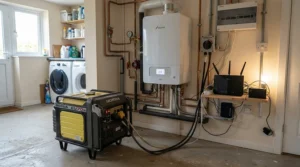
Medical equipment isn’t the only thing worth protecting during an outage — for many households, a power station for boiler and router backup is just as urgent a priority. Most modern combi boilers rely on mains electricity to run their ignition system, pump, and digital controls; lose power and you lose heating and hot water simultaneously, which is a genuine problem in winter for anyone medically vulnerable to cold.
The good news is boiler pumps and controllers are typically low-draw, usually in the 50-150W range, meaning even the mid-capacity units on this list (the AC180, Explorer 1000 v2, or Delta 3) can keep a boiler cycling for the better part of a day. Pair that same unit with a router — most draw just 3-10W — and a medical alert system or telecare pendant stays connected throughout, which matters enormously if you’re also registered for extra support: households that rely on medical equipment requiring a power supply are specifically eligible for the free Priority Services Register, which can offer advance notice of planned power cuts and priority support during unplanned ones.
How to Choose a Power Station for Medical Equipment Home Backup
Choosing the right unit comes down to working through a handful of practical questions in order, rather than starting with a budget and working backwards.
- List every device you need backed up, with its wattage. Check the label or manual on each medical device — CPAP, concentrator, nebuliser, fridge for medication — rather than guessing.
- Add those wattages together for your minimum continuous output requirement. This tells you the smallest AC output rating you can safely buy.
- Multiply your highest-draw device’s wattage by your expected outage length in hours. That gives you your target capacity in watt-hours, before adding a safety margin.
- Add a 20% buffer to that capacity figure. Real-world draw fluctuates, and you don’t want to be counting down the final percentage points at 3am.
- Confirm the unit offers pure sine wave output and a sub-20ms UPS switchover. Both matter specifically for motor-driven and electronically sensitive medical devices.
- Check recharge speed against your local outage patterns. If outages in your area tend to be short but frequent, prioritise fast AC recharge over sheer capacity.
- Consider portability versus permanence. A bedside unit for one CPAP has very different weight and size priorities to a whole-home battery paired with a panel.
Common Mistakes When Buying a Power Station for Medical Equipment
Even careful buyers trip up on a handful of recurring pitfalls, and most of them come down to underestimating real-world demand rather than choosing a bad product outright.
The most common mistake is buying based on marketing headline capacity without checking continuous versus peak output — a unit boasting “3,000W” might only sustain that briefly, not continuously, which matters if you’re running a device with a high startup surge. A close second is ignoring humidifier draw entirely; a CPAP’s baseline wattage looks reassuringly low until a heated humidifier roughly doubles it overnight. Buyers also frequently overlook that solar recharging, while a lovely feature on paper, is next to useless during a prolonged storm with heavy cloud cover — mains recharge speed matters far more for genuine emergency reliability. Finally, plenty of people buy a unit, charge it once, and never test it again; batteries left permanently at 100% or repeatedly drained to zero degrade faster than ones cycled and topped up sensibly every few months.

Practical Usage Guide: Setting Up Your Power Station for Medical Equipment Home Backup
Getting a new unit ready for genuine emergency duty takes about twenty minutes, and it’s worth doing properly rather than leaving it in the box “just in case.”
Start by fully charging the unit as soon as it arrives, then let it sit for a week and check the charge level — this tells you its natural self-discharge rate, which should be minimal on a healthy LiFePO4 battery. Next, physically test it: plug in the actual medical device you intend to back up, not just a phone charger, and run it for at least one full cycle (an entire night for a CPAP, for instance) to confirm real-world runtime matches your calculations. Label the unit clearly with the date it was last fully charged, and set a recurring monthly reminder to top it back up to 80-100%, since even the best batteries lose a small amount of charge sitting idle. Keep the unit somewhere genuinely accessible rather than in a loft or garage — during a live power cut is not the moment to be searching for it in the dark. Finally, register any household member’s medical dependency with your energy network operator’s Priority Services Register, so the power station becomes a backstop rather than your only line of defence.
A frequent early mistake is running the unit flat during testing and then forgetting to recharge it before an actual storm arrives — treat every test cycle as immediately followed by a full recharge, without exception.
Power Station for Storm Power Cuts: Real-World Scenarios
Different households need genuinely different setups, and it helps to see how the maths plays out for a few realistic situations rather than working purely from specification sheets.
Consider a retired couple in a rural area with patchy grid reliability, where one partner uses a CPAP with a heated humidifier nightly. Storm-related outages in their area tend to run six to ten hours. For them, a mid-capacity unit like the BLUETTI AC180 or Jackery Explorer 1000 v2 comfortably covers one full night, with enough spare capacity to also keep a phone charged and a torch running.
Now picture a family with a child dependent on a continuous-flow oxygen concentrator around the clock, living somewhere prone to multi-day storm outages. Here, capacity has to dominate the decision — the BLUETTI Elite 200 V2 or, for genuine peace of mind through a multi-day event, the Anker SOLIX F3800, gives enough headroom to run the concentrator continuously alongside a fridge for medication and a router for telehealth check-ins.
Finally, imagine a single person in a flat managing sleep apnoea with a basic CPAP and no other significant medical load. Storm cuts in cities tend to be shorter but the property has no garden for solar backup. The EcoFlow River 3 Plus is genuinely sufficient here — small, quick to recharge, and easy to keep charged in a cupboard without eating up living space.
Problem → Solution: Common Power Backup Pain Points
Problem: My outage lasted longer than my power station’s battery. Solution: prioritise a fast-recharge model like the Anker SOLIX C1000 Gen 2 so you can top up during any lull in a rolling series of cuts, or step up a capacity tier if single long outages are typical in your area.
Problem: I don’t know if my CPAP will actually run properly on battery power. Solution: every unit reviewed here delivers pure sine wave output, which is specifically what CPAP and other medical-grade motors are designed around — run a real overnight test before you actually need it, not during an emergency.
Problem: The power station is too heavy to move between rooms during an outage. Solution: position it permanently near the device it’s backing up rather than treating it as portable — a bedside CPAP unit doesn’t need to travel anywhere.
Problem: I forget to recharge it and it’s flat when I need it. Solution: most of these units include app-based low-charge alerts; enable them, and pair with a simple monthly calendar reminder regardless.
Problem: I need to back up more than my power station can handle. Solution: choose an expandable model like the EcoFlow Delta 3 from the outset, so additional capacity is a battery purchase rather than a whole new unit.
Long-Term Cost & Maintenance
Thinking in total cost of ownership rather than sticker price changes the calculation considerably. A £280 unit that needs replacing in three years because its battery chemistry degrades quickly works out more expensive per year of protection than a £900 unit backed by a 5,000-cycle LiFePO4 battery and a five-year warranty. Every product in this guide falls into that latter, better-value category.
Maintenance itself is minimal by design: a monthly top-up charge, an occasional real-world test with your actual medical device, and keeping the unit somewhere with reasonable ambient temperature (avoiding a freezing garage or a baking conservatory) is genuinely all that’s needed. There’s no equivalent of engine oil or spark plugs here — the biggest single maintenance failure is simply neglect, letting a unit sit uncharged for months and discovering it’s flat during an actual emergency.
Frequently Asked Questions
❓ How long will a power station run a CPAP machine?
❓ Can a power station run an oxygen concentrator all day?
❓ Is a power station safe for medical equipment during a power cut?
❓ What size power station do I need for home backup?
❓ Do power stations work during long storm-related power cuts?
Recommended for You
- Power Station For Whole House Backup: 7 Best UK Picks (2026)
- Power Station vs Generator For Home Backup: 7 Best Picks (2026)
- Portable Power Station 1500-3000Wh: 7 Best UK Picks (2026)
Disclaimer: This article contains affiliate links. As an Amazon Associate, I earn from qualifying purchases. If you purchase products through these links, we may earn a small commission at no additional cost to you.
✨ Found this helpful? Share it with your friends! 💬🤗
